Native 1080P Output
Generate full-HD video directly for social, product, presentation, and editing workflows. The live form exposes 1080P as its highest resolution and does not present an upscale as native 4K.
See full output specs →Wan 3.0 online — native 1080P · up to 30s · synchronized audio
Start from text, first and last frames, or image, video, and audio references. Set the ratio, resolution, and duration, then generate a complete clip up to 30 seconds with sound included.
Model and workflow
An AI video model and browser workflow for building short audiovisual clips from prompts and references.
Wan 3.0 is an AI video model for creating short videos from text, frames, and multimodal reference material. On LongCat AI, the Wan 3.0 generator packages that model into a browser form where you can prepare media, assign reference roles, choose output settings, and review the result.
The workflow supports prompt-only generation, first and last frame control, and reference-led generation with images, videos, or audio. Uploaded images can be cropped; video and audio references can be trimmed; every asset receives an @ tag so the prompt can say exactly how it should influence the scene.
This page is a managed tool, not a claim that downloadable Wan 3.0 weights or a public developer API are available. Generation quality varies by prompt and reference quality, and outputs should be checked before commercial or client use.
Wan 3.0 is designed as a complete browser workflow built with Wan 3.0: prepare a text or reference-led brief, choose up to native 1080P and 30 seconds, review the credit cost, then generate picture and sound together.
Generate full-HD video directly for social, product, presentation, and editing workflows. The live form exposes 1080P as its highest resolution and does not present an upscale as native 4K.
See full output specs →Use a longer timeline for an opening, action, transition, and closing frame in one generation. Structure longer prompts in clear beats and review continuity before publishing.
Explore duration controls →Generate sound with the visual sequence. Describe dialogue, ambience, music direction, and action cues in the prompt so timing can be reviewed as a complete scene.
Explore all Wan 3.0 features →Start from text, define first and last frames, or combine image, video, and audio references. Crop or trim media in the form and identify each reference with an @ tag.
Try the Wan 3.0 AI video generator →Official Wan source-project clips for text generation, references, 30-second structure, consistency, editing, and synchronized audio. Hover a card to pause the lane and preview it.
Official Wan source-project text-to-video example for reviewing prompt-led motion, camera direction, and audiovisual timing.
Official 30-second example showing how a longer short-form scene can carry multiple visual beats in one clip.
Official reference-to-video example for inspecting how source media can guide identity, composition, and motion.
Official brand showcase clip used by the Wan source project and the generator demo rotation.
Official omni-creation example for reviewing a reference-led scene with multiple creative inputs.
Official Wan source-project text-to-video example for reviewing prompt-led motion, camera direction, and audiovisual timing.
Official 30-second example showing how a longer short-form scene can carry multiple visual beats in one clip.
Official reference-to-video example for inspecting how source media can guide identity, composition, and motion.
Official brand showcase clip used by the Wan source project and the generator demo rotation.
Official omni-creation example for reviewing a reference-led scene with multiple creative inputs.
Official Wan source-project text-to-video example for reviewing prompt-led motion, camera direction, and audiovisual timing.
Official 30-second example showing how a longer short-form scene can carry multiple visual beats in one clip.
Official reference-to-video example for inspecting how source media can guide identity, composition, and motion.
Official brand showcase clip used by the Wan source project and the generator demo rotation.
Official omni-creation example for reviewing a reference-led scene with multiple creative inputs.
Official consistency example for inspecting whether a scene maintains its intended visual subject and direction.
Official video-editing example for reviewing transformation and instruction-led changes across a clip.
Official immersive-audio example for reviewing sound and picture as one generated result.
Official Wan 3.0 showcase example retained by the current source project.
Official camera-ad example for reviewing product-focused movement, framing, and visual continuity.
Official consistency example for inspecting whether a scene maintains its intended visual subject and direction.
Official video-editing example for reviewing transformation and instruction-led changes across a clip.
Official immersive-audio example for reviewing sound and picture as one generated result.
Official Wan 3.0 showcase example retained by the current source project.
Official camera-ad example for reviewing product-focused movement, framing, and visual continuity.
Official consistency example for inspecting whether a scene maintains its intended visual subject and direction.
Official video-editing example for reviewing transformation and instruction-led changes across a clip.
Official immersive-audio example for reviewing sound and picture as one generated result.
Official Wan 3.0 showcase example retained by the current source project.
Official camera-ad example for reviewing product-focused movement, framing, and visual continuity.
Practical use
Creators, marketers, product teams, and small studios making short-form video with references and sound.
Use a text brief, opening and closing frames, or motion references to test a shot before a full production. A clip can include picture and sound in one result, but every output still needs a human review for continuity, identity, text, and audio timing.
Prepare product reveals, social cuts, campaign concepts, and visual hooks in the aspect ratio where they will run. Reference files help keep a product or visual direction present across attempts, while the result player makes it easy to review and download a selected MP4.
Combine a product image with a motion example or audio cue, then explain each file with an @ reference in the prompt. This is useful for concepting display shots and launch moments; generated labels, trademarks, people, and music must still be checked before publication.
Work in the browser without setting up a local model. The form keeps upload, crop, trim, prompt, format, progress, playback, and download controls together, so a small team can move from references to a reviewable draft in one workspace.
Honest comparison
A current-version comparison that leaves unverified Wan 2.7 specifications explicitly unpublished.
Search demand for this comparison appears in Google Autocomplete, and Wan 2.7 is the previous Wan version surfaced in current US Trends data. The Wan 3.0 column below describes controls implemented on this page. Where a current official Wan 2.7 value was not found, the table says so instead of guessing.
| Decision point | Wan 3.0 | Wan 2.7 |
|---|---|---|
| Workflow on this page | Text, first/last frame, image, video, and audio references | Current Wan 2.7 workflow was not verified in the official sources reviewed |
| Maximum clip length | Up to 30 seconds in the current LongCat form | Not published in the current sources reviewed |
| Output controls | 480P, 720P, 1080P; five required aspect ratios for reference mode | Not published in the current sources reviewed |
| Audio | Synchronized audio is included automatically | Not published in the current sources reviewed |
| Best reason to choose | Use the newest hosted workflow and its current controls | Keep an existing 2.7 workflow when compatibility matters more than switching |
Why this workflow
Choose it for an integrated browser workflow and clearly exposed controls—not for unsupported promises.
One continuous workspace for uploading, cropping, trimming, prompting, generating, reviewing, and downloading.
Three creation paths: text only, controlled first and last frames, or mixed image, video, and audio references.
Visible format controls for aspect ratio, 480P–1080P resolution, and 2–30 second duration, with synchronized audio included automatically.
Official Wan showcase media is displayed with real local video and poster files, not stock placeholders.
Three steps from idea to a downloadable 1080P clip with audio generated alongside the picture.
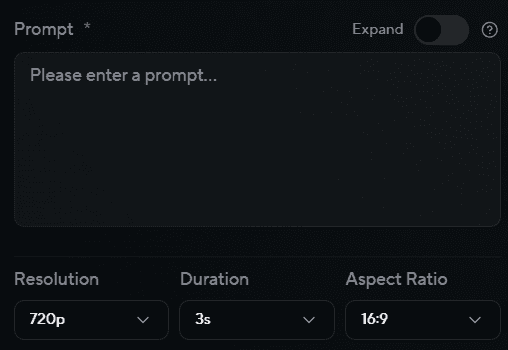
Set the scene, camera move, and mood. Add an optional reference image when you want the look locked in.
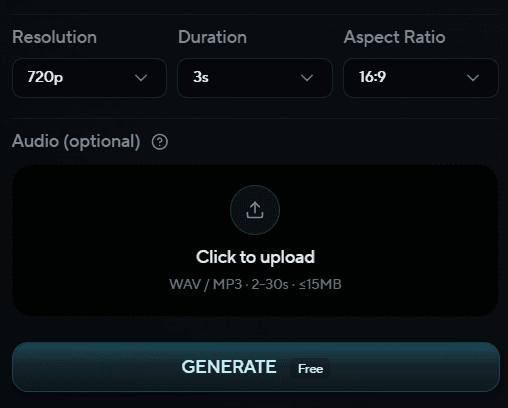
Pick duration, aspect ratio, and quality tier. Wan 3.0 balances fidelity with turnaround so you can iterate fast.
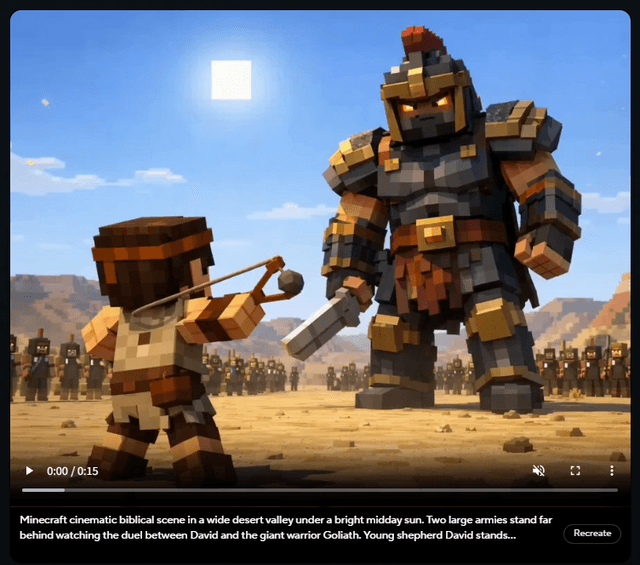
Review the render, refine the prompt if needed, then export in the format your editor or ads manager expects.
One-time purchases for LongCat Video and LongCat Avatar. Credits never expire—use them across generation, editing, and avatar workflows.
Choose one-time credits • Flexible billing options
Practical answers about creation modes, output limits, references, audio, credits, and commercial use.
Wan 3.0 is an AI video model, and this page is a managed browser workflow for using it with text, frames, images, video, and audio references. The LongCat form includes media preparation, prompting, output controls, generation state, playback, and download. It exposes 480P, 720P, and 1080P settings with a 2–30 second duration range. A generated result is still synthetic media and should be reviewed for visual errors, audio timing, rights, and suitability before use.
LongCat AI provides an independent managed workflow for Wan 3.0. The controls, credit estimates, uploads, generation states, playback, and downloads described on this page come from the current LongCat implementation. Availability can still depend on the active account, selected settings, and backend service status.
This page does not claim that Wan 3.0 downloadable weights are available. Search demand for Wan 3.0 open source is strong, but demand is not proof of a release. LongCat provides a hosted generator through its own runtime; it does not advertise weights, a model download, a public SDK, webhooks, or a developer API. Verify the current model documentation before planning a self-hosted integration.
The Wan 3.0 generator provides a prompt-only mode, first and last frame input, and a multimodal reference mode. Reference mode accepts images, video, and audio under the validations shown in the form. Images can be cropped, while video and audio can be trimmed before upload. Every reference receives an @ tag, and the prompt should explain its job. Actual acceptance also depends on file type, size, duration, and aspect validation.
The current LongCat Wan 3.0 form exposes up to 30 seconds, a 1080P option, and an audio switch. Those controls can be selected together where the active mode and policy allow them, and the form shows a credit estimate before submission. This implementation fact does not guarantee that every prompt, account, or backend task will finish with that exact combination. Real paid generation, credit deduction, and opus archiving were intentionally not tested in this migration phase.
Wan 3.0 uses LongCat credits, and the form calculates the task estimate from current settings. LongCat’s current one-time packs are $9.9 for 90 credits, $29.9 for 400, $49.9 for 800, and $99.9 for 1,800. The site does not turn generic plan video estimates into a Wan 3.0 promise because resolution, duration, and policy can affect the displayed cost. Review both the generator estimate and current checkout terms before paying.
Each uploaded reference receives a name such as @Image1, @Video1, or @Audio1. Mention the tag in the Wan 3.0 prompt and describe the role that reference should play. For example, preserve the product shown in @Image1, follow the movement in @Video1, and use the rhythm from @Audio1. Tags make the instruction more explicit, but they do not guarantee perfect identity, motion, or timing. Review the result and revise ambiguous roles.
Commercial use depends on the current LongCat plan terms, the model provider’s applicable terms, and the rights in the prompt, references, and output. A paid plan label alone does not clear a trademark, person, copyrighted character, uploaded clip, or music track. Review the latest terms before publishing or delivering client work. Check the generated MP4 for recognizable third-party material, false labels, unsafe content, and audio rights. Seek legal advice when the intended use carries material risk.
Bring a prompt or reference set, choose the output settings that fit the brief, and review the displayed credit cost before starting a generation.