AI Video · Seedance 2.0

Seedance 2.0 AI Video Generator

Seedance 2.0 turns a prompt or a stack of mixed reference files into a rendered clip without ever leaving the browser tab. Expect natural motion, built-in sound, and export up to 4K—no camera gear, no editing suite, just a description of the shot and a render button.

A single job can pull in up to 12 combined images, clips, and audio tracks, with frame-matched sound rendered alongside the picture rather than bolted on afterward. Reference each file by an @ tag in your prompt so the model knows which one sets the character, the camera path, or the soundtrack.

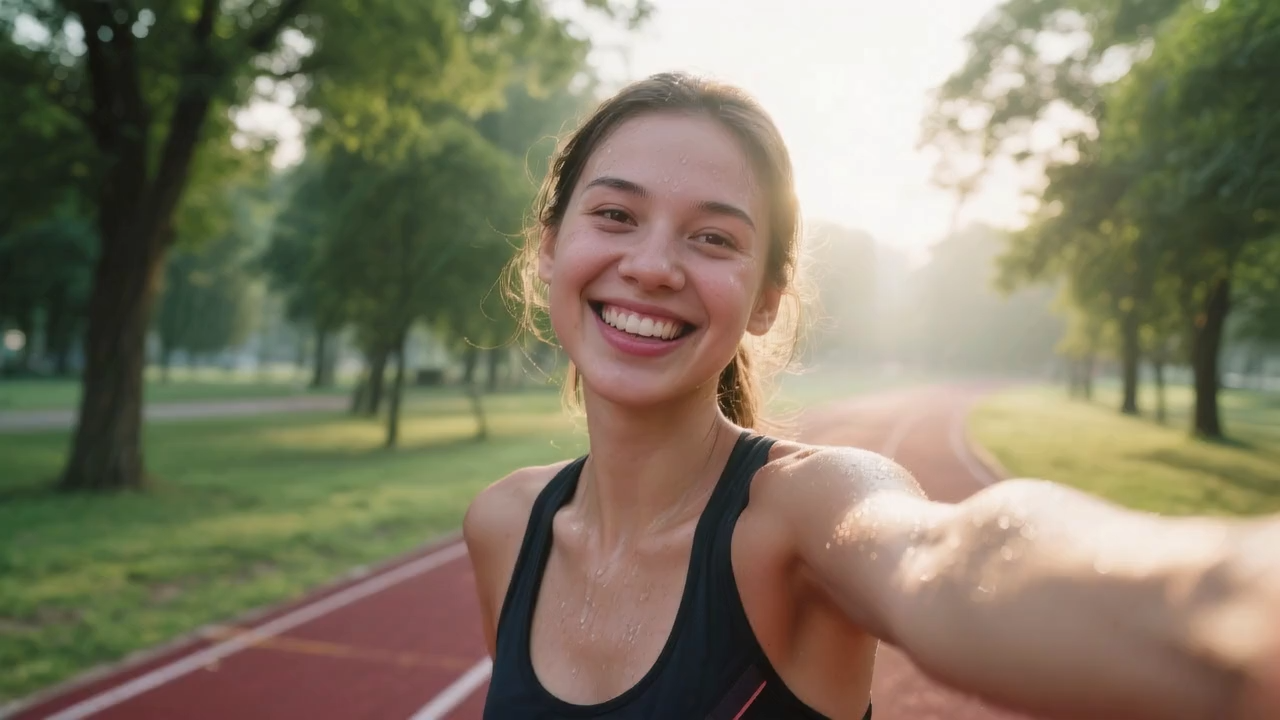
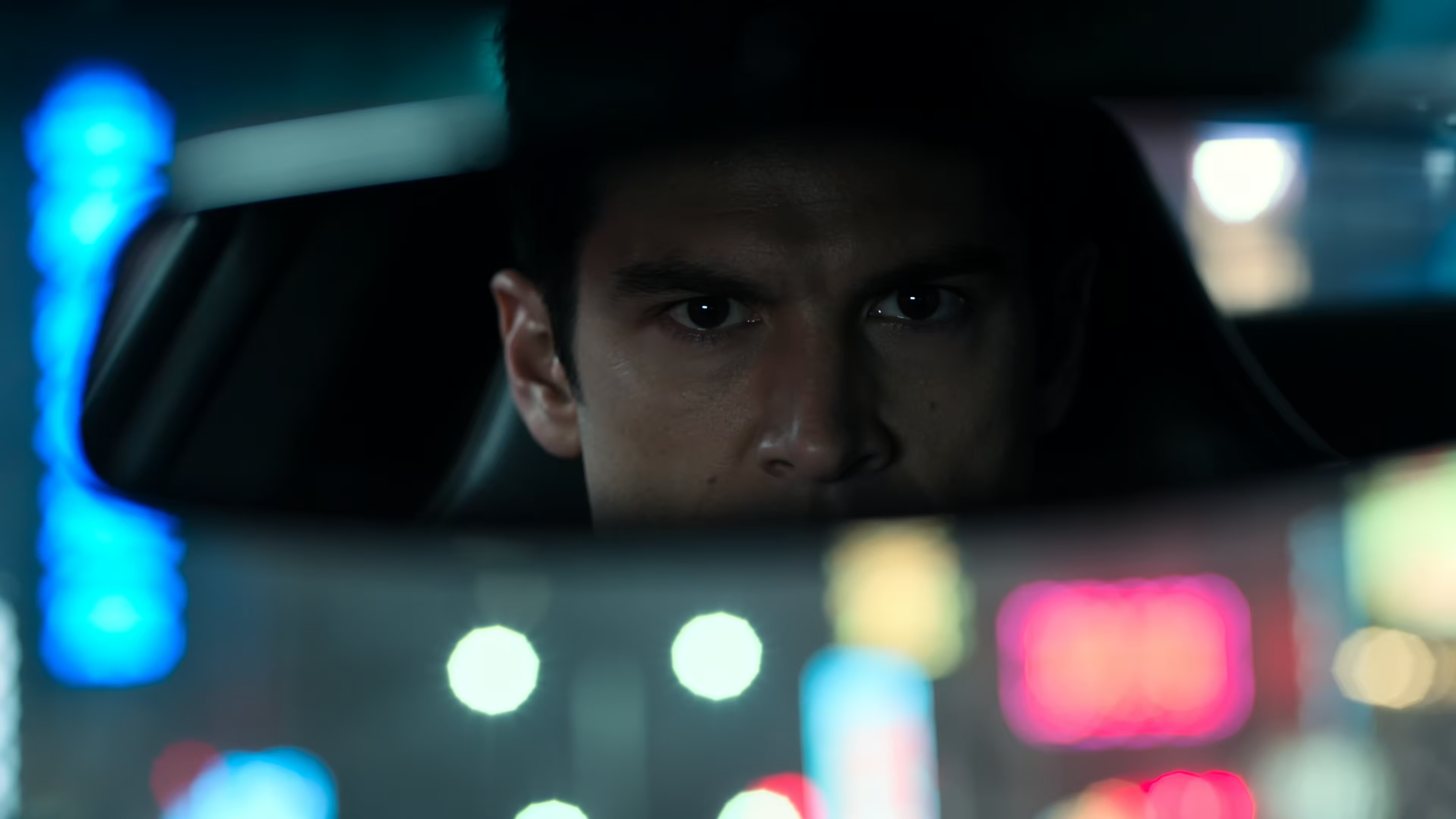
Seedance 2.0 cinematic AI video example

Generator

Run Seedance 2.0 right here

Select Text to Video or Universal Reference, set your resolution, and render without a separate app.

Overview

What is Seedance 2.0?

A ByteDance video generation model wired up here for prompt and mixed-reference workflows with sound built in.

This page is a browser front end for the Seedance 2.0 model. Type a description of a shot, or hand the generator up to 12 mixed files—photos, clips, and audio—as a single combined job. What comes back is motion, lighting, and sound that stay consistent frame to frame.

Where a lot of text-to-video tools stop at a few silent seconds, Seedance 2.0 renders picture and sound in the same pass—lip-synced lines, room tone, and effects that track whatever is moving on screen. Paired with output up to native 4K, that makes it a reasonable fit for social clips, product shots, pre-vis, and portfolio pieces where the audio needs to sound finished, not added later.

The two modes map to how you'd actually brief a shot: Text to Video for starting from nothing but a description, and Universal Reference for stacking images, clips, and audio together. An @ tag in your prompt tells the model which file governs identity, camera movement, or sound.

Key Features

What sets Seedance 2.0 apart

Close-up fidelity, natural motion, and audio rendered with the picture—the three things this model is built around.

Feature 1

Write a scene, get a finished clip

Type out who is on screen, what they are doing, how the light falls, and where the camera moves, and Seedance 2.0 assembles a short clip around that brief—motion, lighting, and matched sound included. There is no rig to book and no timeline to touch; the prompt is the entire production.

Write a scene, get a finished clip — Seedance 2.0 sample

Feature 2

Textures and motion that hold up close

Fine detail was a design priority for this model: skin, fabric weave, brushed metal, and floating particles move the way a camera lens would actually capture them. That makes the output usable for product hero shots and nature close-ups where a viewer would otherwise clock the footage as synthetic at a glance.

Textures and motion that hold up close — Seedance 2.0 sample

Feature 3

Sound rendered together with the picture

Every clip carries audio the model built alongside the video itself—lip-synced dialogue, room tone, musical stings, and effects timed to whatever is happening on screen. You get a clip that already sounds finished, which saves a separate sound-design pass before it goes into a reel or ad cut.

Sound rendered together with the picture — Seedance 2.0 sample

Benefits

Why creators reach for Seedance 2.0

Prompt-to-video, multimodal references, and full 4K export, all rendered without booking a studio day.
  • Sound is rendered in the same pass as the picture—dialogue, room tone, and effects, with no separate audio edit afterward.
  • Output ranges from 480p up through native 4K on the Standard model, so a fast draft and a full-fidelity delivery come from the same tool.
  • Combine up to 12 images, clips, and audio files in one job to lock in a character or carry motion from a reference into the new clip.
  • One generator covers two starting points: a written prompt or a stack of mixed reference files.
  • Fast mode caps out at 720p but renders quicker for early drafts; switch to Standard once you are ready for the final pass.
  • Cost scales with duration and resolution, so a quick vertical clip for social costs a fraction of a longer 4K export.

Get Inspired

Sample renders from Seedance 2.0

A look at what the multimodal pipeline produces when reference photos, motion clips, and audio all feed into the same generation.

Process

Getting a clip out of Seedance 2.0

From a prompt or photo to a finished download in three steps, no plugin required.
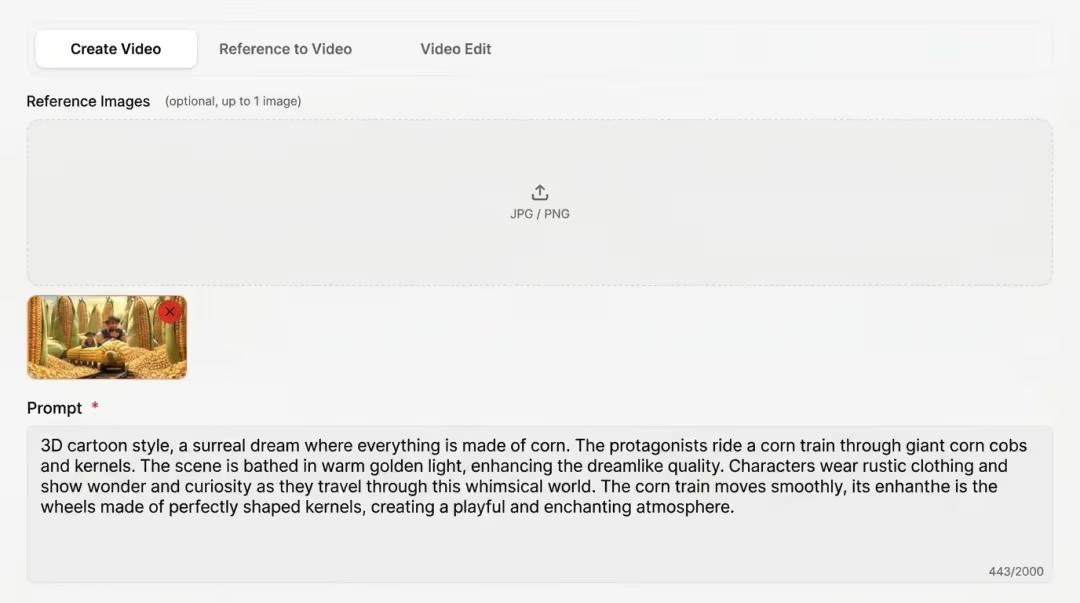
1. Choose a mode and set your output screenshot

1. Choose a mode and set your output

After signing in, pick Text to Video or Universal Reference, then dial in resolution and a clip length between 4 and 15 seconds. The panel below the Generate button updates the credit total as you adjust these.

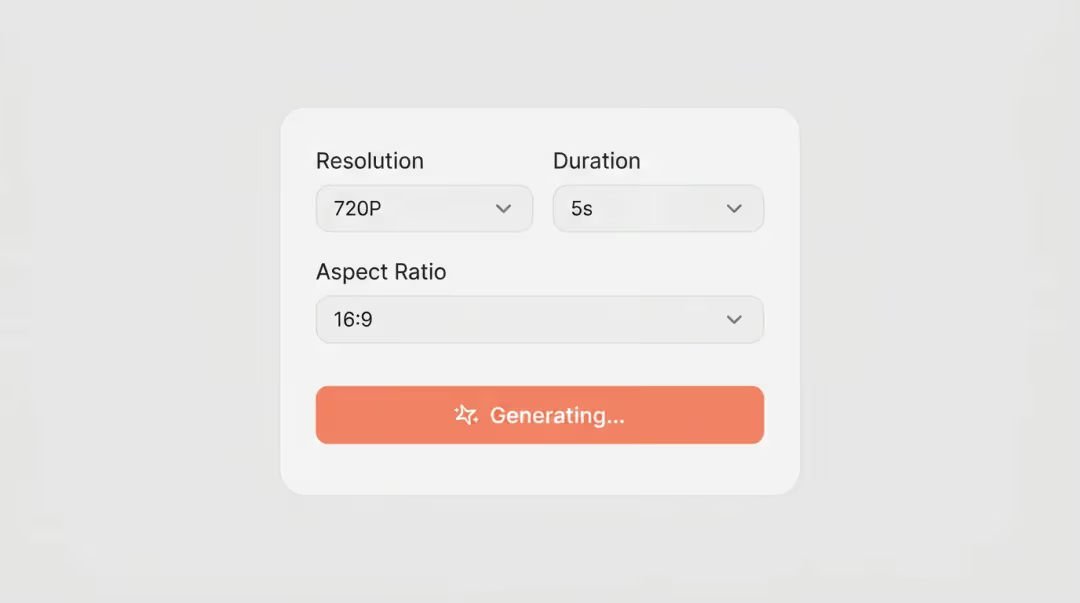
2. Feed it a prompt, an image, or both screenshot

2. Feed it a prompt, an image, or both

Text to Video runs on a written description of subject, camera, lighting, and mood. Universal Reference lets you stack clips, photos, and audio—each one referenced in your prompt by tag, like @Image1, @Video1, or @Audio1.

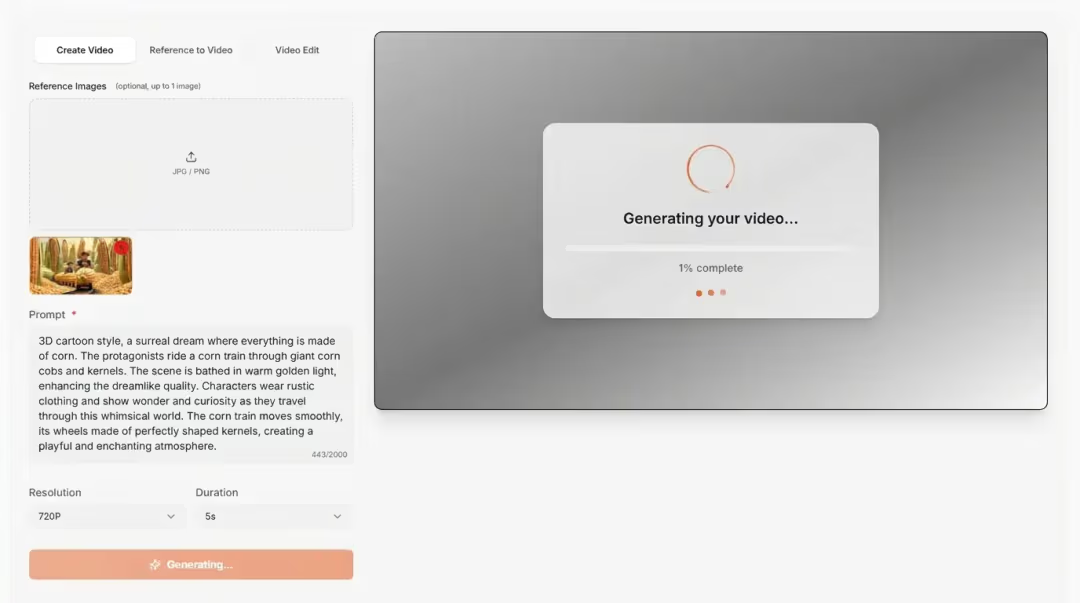
3. Render, review, then save the file screenshot

3. Render, review, then save the file

Send the job, wait for the preview to load with picture and sound together, and pull down the MP4 when it looks right. Nudge the prompt or swap a reference to try again—no watermark on exports once you are on a paid credit tier.

Specs

Seedance 2.0 at a glance

ModelSeedance 2.0 Standard & Fast
Max duration4–15 seconds per generation
Resolutions480p, 720p, 1080p, native 4K (Standard)
Fast mode480p & 720p only
Reference budgetUp to 12 mixed images, video, and audio
ModesText to Video, Universal Reference
AudioNative sound effects and dialogue-friendly output
Aspect ratiosAuto, 21:9, 16:9, 4:3, 1:1, 3:4, 9:16
Standard credits (no ref video)1–15 credits per second, by resolution
Typical 4s 720p clip16 credits

Pricing

Credits that work across LongCat AI

Buy a pack once and spend it on Seedance 2.0 or any other generator here—credits carry no expiration date.

FAQ

Common questions about Seedance 2.0

What is Seedance 2.0?

Seedance 2.0 is a ByteDance video generation model, and this page is LongCat AI's independent, browser-based front end for it. From here you can turn a written prompt into a clip or feed the generator up to 12 combined images, clips, and audio files as motion and style references. Renders top out around 15 seconds and always come with matching sound.

Is this the official Seedance site?

No—LongCat AI is a separate, independent product that happens to offer Seedance 2.0 alongside its own video tools. We built the account system, the upload flow, and the credit billing you see here, but ByteDance has no affiliation with or endorsement of this site.

What output options does Seedance 2.0 give me?

Standard-speed generation goes up to native 4K, stepping down through 1080p, 720p, and 480p. Switch to Fast mode and you are limited to 720p or 480p in exchange for quicker turnaround. Every render can run anywhere from 4 to 15 seconds, and the credit cost moves with both of those choices.

Do I need to pay to try it?

New sign-ups start with a batch of free credits, enough to test text prompts and reference uploads across the available resolutions. Once those run out, moving to a paid pack lifts the watermark on qualifying tiers and moves your renders up the queue.

Can I feed it more than one image or video as a reference?

Yes—that is what Universal Reference mode is for. Combine several photos, short clips, and an audio track (up to 12 files total) and reference each one in your prompt by its tag, like @Image1 or @Video1, so the model knows what each file is supposed to control.

Do the videos come with sound, or do I add that separately?

Sound comes baked in. The model produces dialogue with matching lip movement, background atmosphere, and effect sounds tied to the action, all rendered in the same pass as the picture rather than added afterward.

How far will a credit pack actually go?

Cost is duration multiplied by a per-second rate that depends on resolution and speed. At 480p Fast that rate is just 1 credit per second, so a 5-second clip runs 5 credits and a 90-credit starter pack stretches to roughly 18 of them. Move up to 720p Standard and the rate climbs to 4 credits per second—a 4-second clip there costs 16 credits, so the same 90-credit pack covers around 5 or 6 renders instead. The generator totals the exact cost for your settings before you confirm.

How should I write a prompt for better results?

Name the subject, the setting, how the camera moves, the lighting, and the overall mood—plain sentences work fine. Working with references, be explicit about which @ tag drives the character versus the motion versus the audio. Vague prompts tend to need more retries than specific ones.

Your next clip starts with a prompt

Free starter credits are waiting on your account—no subscription, no card required to try Seedance 2.0 for yourself.

Start Generating Free