LongCat Avatar 1.5 is the more dramatic model in this project because its promise is immediately human: give it a face, give it a voice, and it should create a person who talks, sings, or interacts with another speaker. The official materials position Avatar 1.5 around smoother mouth dynamics, stricter identity consistency, long-video stability, singing, animation, and multi-person interaction. I tested those claims from the angle that matters most to a creator or product team: can the model turn audio and a reference image into a believable performance rather than just a moving portrait? My result is encouraging but demanding. Avatar 1.5 can generate usable local audio-driven avatar clips on a 48 GB GPU with the INT8 route, and it is best understood as a talking avatar and performance-generation system rather than a lightweight effect. Vocal separation, Whisper-Large-v3 features, reference-image conditioning, continuation, and final MP4 muxing are all part of the experience.
Official sources checked: the LongCat-Video code repository, the Avatar 1.5 Hugging Face model page, the Avatar 1.5 project page, the Avatar 1.5 technical report, the InfiniteTalk repository, and the InfiniteTalk project page.
Quick Reader Guide
If you want to know... | Start here | What you will find |
|---|---|---|
Whether Avatar 1.5 really produced voiced videos | Test Evidence and Generated Works Table | 11 playable 20-second outputs with frames, MP4 files, audio-duration notes, and silence checks |
Whether it supports more than one speaker | What I Tested and Generated Works Table | Two-host, studio-duet, and roundtable-dialogue samples using multi-person or multi-audio inputs |
How expensive it is to run | Runtime Metrics | Total time, continuation frame counts, output duration, and peak CUDA memory |
InfiniteTalk comparison and hosted avatar tools | Comparison With Other Avatar Tools | Workflow-level differences between local avatar generation, long-video dubbing, and browser avatar products |
Whether it is safer than general video models | Safety, Consent, and Practical Governance | Consent, voice/image handling, labeling, and product-governance concerns |
How to reproduce the INT8 route | Installation Snapshot | uv setup, Avatar-specific requirements, required model files, and xFormers override |
Read this LongCat Avatar 1.5 review as a local LongCat Avatar 1.5 setup report, an audio-driven avatar model test, a talking avatar quality check, and an InfiniteTalk comparison from the same practical angle. The point is not only whether Avatar 1.5 can move a face, but whether the LongCat Avatar 1.5 pipeline can preserve voice timing, identity, expression, and multi-person intent across real generated videos.
The Capability Story: More Than Lip Sync
The official Avatar 1.5 materials frame the model as an upgraded audio-driven avatar system built on LongCat-Video. The important upgrades are easy to translate into reader language: Whisper-Large-v3 replaces the older audio encoder for better mouth-shape accuracy, step distillation enables 8-step inference, the model targets stronger identity consistency across long videos, and the project page demonstrates singing, performance, animation, and multi-person interaction. Those are the abilities that matter for a real avatar product.
That capability mix shaped the test set. I used samples that make the model show its actual product behavior: presenter speech for mouth motion, singing for vocal rhythm, story and product delivery for longer expression timing, teaching and support clips for practical talking-head use, and multi-person samples for turn-taking. The model's main appeal is this range. It is not just a lip-sync patch on top of an image; it is a system meant to turn voice, identity, and prompt direction into performance.
The strongest capability claim I can support from my local test is practical rather than absolute: Avatar 1.5 handled 20-second voiced outputs with complete audio streams and consistent memory behavior. I would still test longer clips before calling it production-safe for minute-long presenters, but these samples are long enough to reveal the core behavior: audio stays attached, identity remains the anchor, and multi-person input is a real workflow rather than a checkbox. The model feels most convincing when the input image, the voice, and the prompt all point in the same direction. When those three signals agree, Avatar 1.5 starts to feel less like a face animator and more like a performance system.
That is the reason this review focuses on presenter speech, singing, dialogue, teaching, support, and product delivery instead of only running a neutral "person says a line" clip. The model's main value is not a single trick. Its value is the ability to cover several avatar jobs with the same local stack: a direct-to-camera host, a singer, a two-person interaction, a lesson, a support explanation, and a staged product pitch. Those jobs stress different parts of the system. Speech tests mouth timing and eye-line steadiness. Singing tests rhythm and expression. Multi-person tests identity separation and turn-taking. Teaching and support clips test whether the result remains useful when the voice is less theatrical and more practical.
What I Tested
I tested the single-person audio-image-to-video path with eight important avatar use cases: a speech-style presenter clip, a female singing clip built from official singing audio, a story-style vocal performance, a product-pitch vocal performance, a news-anchor delivery, a teacher-style explanation, a customer-support host, and a keynote storyteller. I also tested three multi-person clips: one two-person studio duet, a two-host introduction, and a roundtable dialogue sample that uses the official multi-audio add route so one person speaks first and the second person answers. I included the dialogue test because the official project page presents Multi-Person Interaction as a supported scenario, and the official Hugging Face model card describes compatibility with both single-stream and multi-stream audio inputs as well as multi-person conversation. The audio inputs were prepared and checked before generation so the final clips could be judged as complete audio-video artifacts. The final results are 20.0-second MP4 files generated through the official Avatar continuation workflow: seven 93-frame generation segments, 13 conditioning frames used for each continuation segment, and a final trim to 20 seconds. The tests used the 480p bucket, 25 fps, 8 denoising steps per segment, the Avatar 1.5 INT8 base model, the DMD LoRA, xFormers attention, and KV-cache offload for continuation.
I did not download every duplicate weight format from the Avatar 1.5 repository. For this local INT8 test I needed the INT8 DiT shards, DMD LoRA, scheduler, vocal separator, Whisper-Large-v3 inference files, and the LongCat-Video foundation tokenizer/text encoder/VAE. That selective setup kept the Avatar-specific download near 21 GB instead of pulling the full 69.7 GiB repository.
Test Evidence
The evidence table below replaces the earlier standalone media stack. It keeps each Avatar 1.5 sample's frame, playable MP4, input direction, and measured check in one row, which makes it easier to compare the 20-second outputs without relying on a single collage screenshot.
Editor's note: image alt text below is written descriptively (not just "frame 1", "frame 2") to support image search discovery, and each video is a candidate for VideoObject structured data if you're implementing this on a CMS —.
Sample | Frame | Playable output | What it checks |
|---|---|---|---|
Presenter speech | 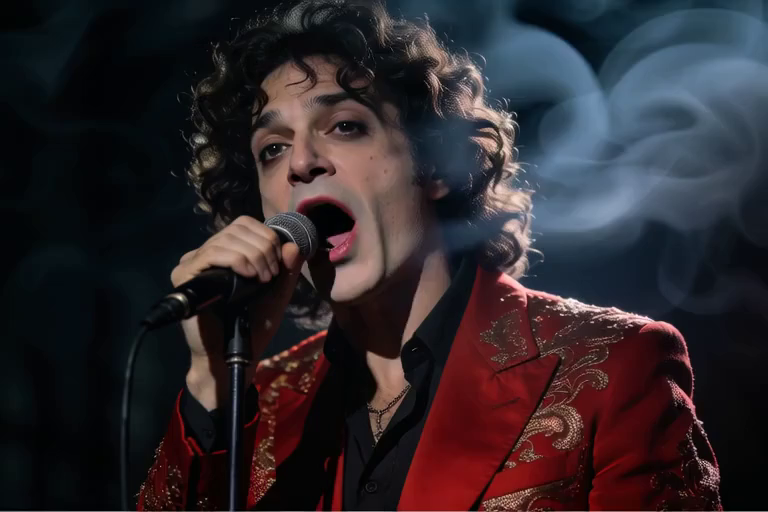 | Main talking-avatar path with reference-image conditioning, audible speech, and longer mouth-motion observation. | |
Female singing | 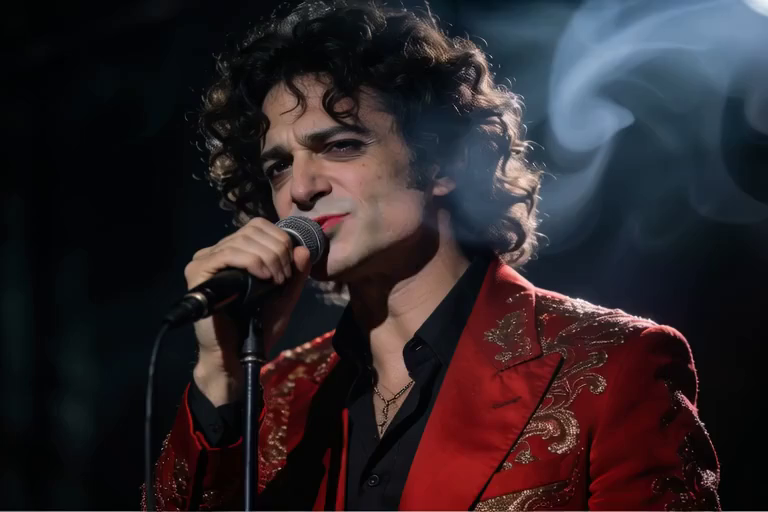 | Singing-avatar path using official vocal audio and a performance prompt. | |
Story vocal | 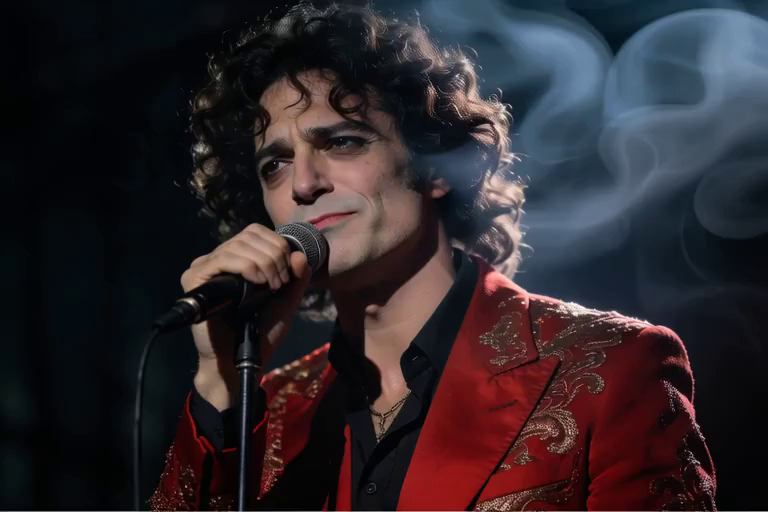 | Continuous voiced performance with story-style delivery and complete audio-video muxing. | |
Product pitch | 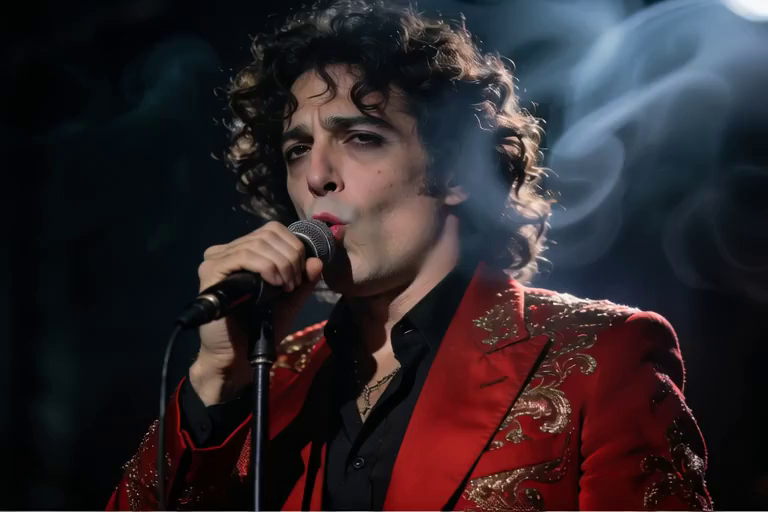 | Product-presenter tone, clean 20-second vocal input, and prompt-guided delivery. | |
Studio duet | 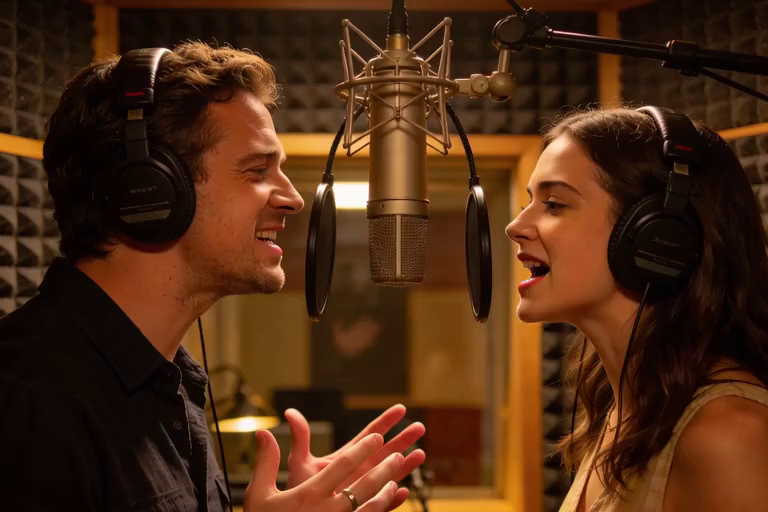 | Multi-person singing-avatar route with two visible performers and duet-style audio conditioning. | |
News anchor | 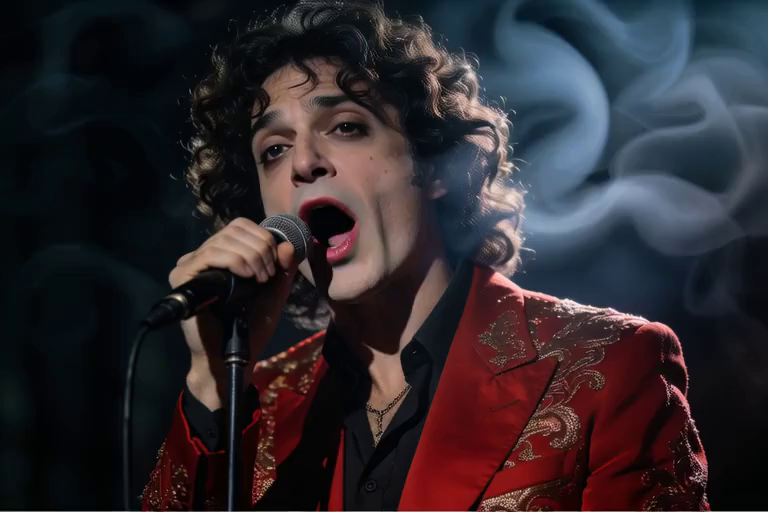 | Direct-to-camera news delivery, steady presenter framing, and speech-driven mouth motion. | |
Teacher explainer | 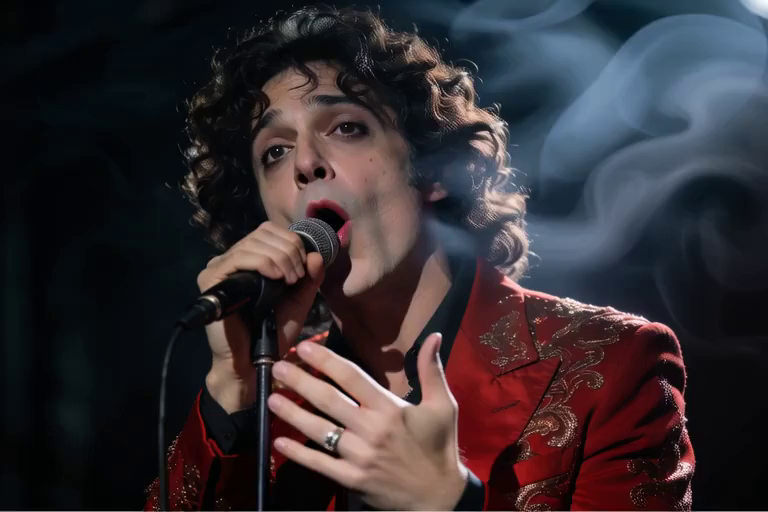 | Education-style speaking, longer spoken explanation, and stable reference-image conditioning. | |
Customer support | 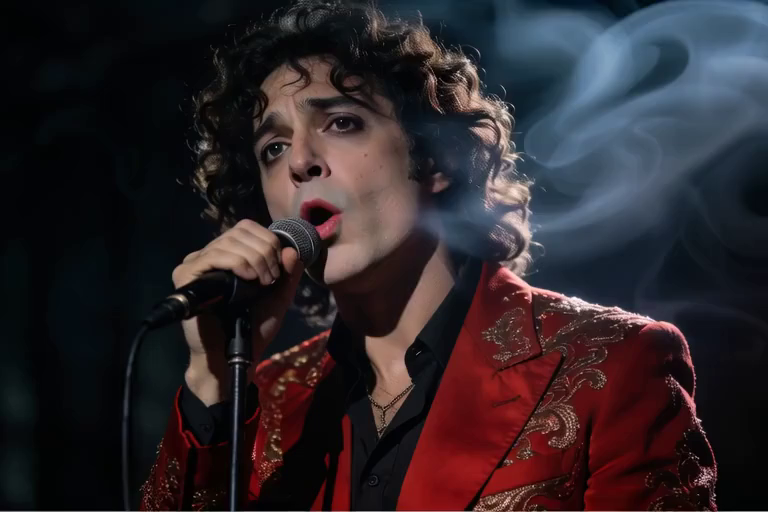 | Service-host delivery with softer spoken style and complete final audio stream. | |
Keynote story | 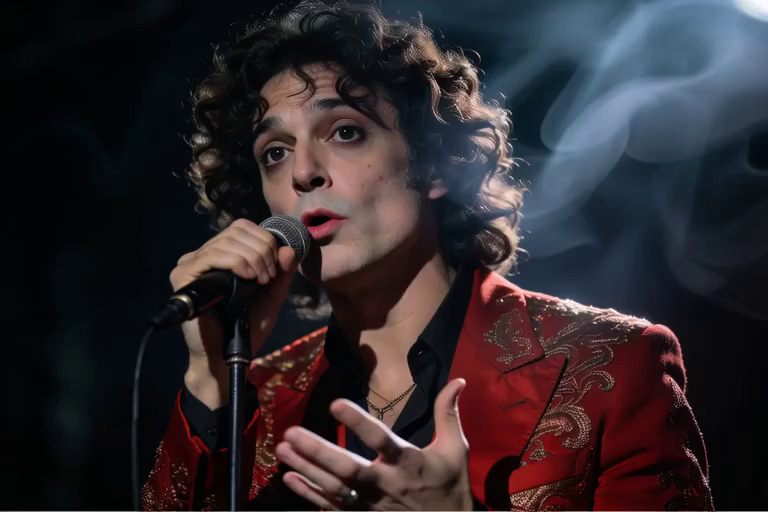 | Stage-speaking behavior, expressive prompt direction, and 20-second continuation. | |
Two-host introduction | 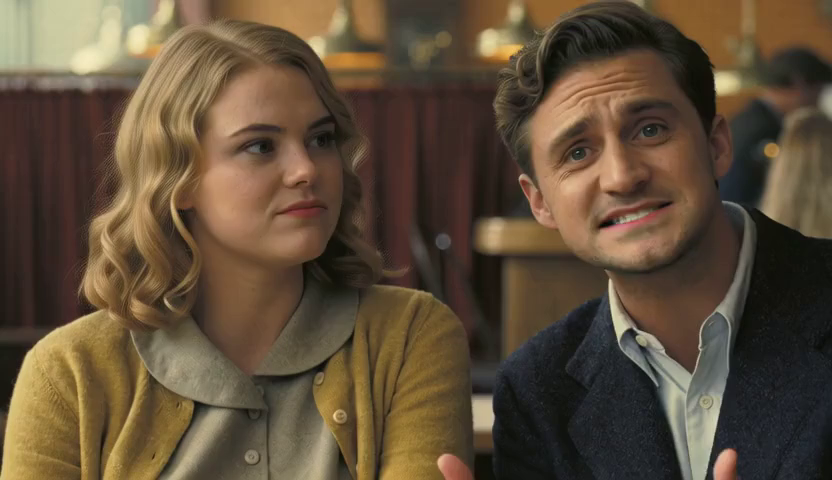 | Multi-person speaking with two audio inputs and a two-person reference image. | |
Roundtable dialogue | 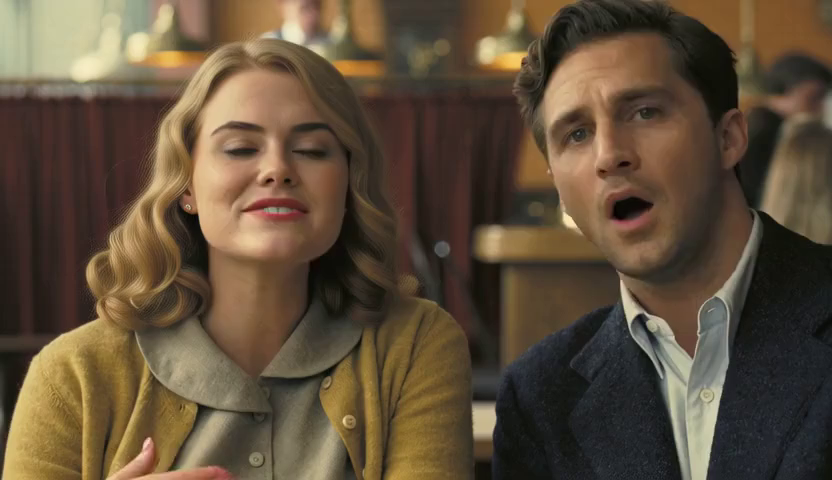 | Official multi-audio add-mode conversation: one person speaks first, then the second answers. |
Runtime Metrics
Summary: Peak VRAM stayed in a narrow 41.3–41.5 GB band across every test. Total runtime per 20-second clip landed around 19–21 minutes, and multi-person samples ran slightly slower without using meaningfully more memory.
LongCat Avatar 1.5 runtime and VRAM bar chart
Test | Prompt direction | Official continuation frames | Steps | Output resolution | Video/audio duration | Total time | Peak CUDA memory |
|---|---|---|---|---|---|---|---|
Presenter voice | 20-second speech-driven presenter | 573 raw, trimmed to 20s | 8 per segment | 768 x 512 | 20.0s / 20.0s | 1159s | 41.304 GB |
Female singing | 20-second singing performance | 573 raw, trimmed to 20s | 8 per segment | 768 x 512 | 20.0s / 20.0s | 1142s | 41.382 GB |
Story-style vocal performance | 20-second continuous voiced audio with performance prompt | 7 segments, trimmed to 20s | 8 per segment | 768 x 512 | 20.0s / 20.0s | 1144s | 41.382 GB |
Product-pitch vocal performance | 20-second continuous voiced audio with performance prompt | 7 segments, trimmed to 20s | 8 per segment | 768 x 512 | 20.0s / 20.0s | 1141s | 41.382 GB |
Studio duet | 20-second two-person singing performance | 7 segments, trimmed to 20s | 8 per segment | 768 x 512 | 20.0s / 20.0s | 1209s | 41.382 GB |
News anchor | 20-second direct-to-camera news delivery | 7 segments, trimmed to 20s | 8 per segment | 768 x 512 | 20.0s / 20.0s | 1144s | 41.382 GB |
Teacher explainer | 20-second educational speaking prompt | 7 segments, trimmed to 20s | 8 per segment | 768 x 512 | 20.0s / 20.0s | 1144s | 41.382 GB |
Customer support host | 20-second service-style spoken prompt | 7 segments, trimmed to 20s | 8 per segment | 768 x 512 | 20.0s / 20.0s | 1144s | 41.382 GB |
Keynote storyteller | 20-second stage storytelling prompt | 7 segments, trimmed to 20s | 8 per segment | 768 x 512 | 20.0s / 20.0s | 1144s | 41.382 GB |
Two-host introduction | 20-second two-person introduction with two audio inputs | 7 segments, trimmed to 20s | 8 per segment | 832 x 480 | 20.0s / 20.0s | 1240s | 41.462 GB |
Roundtable dialogue | 20-second two-person dialogue with sequential multi-audio input | 7 segments, trimmed to 20s | 8 per segment | 832 x 480 | 20.0s / 20.0s | 1233s | 41.462 GB |
The presenter sample is the clearest talking-avatar evidence because it produced a 20.0-second video stream with a matching 20.0-second AAC audio stream. I verified the audio with ffprobe, volumedetect, and silencedetect: all eleven final Avatar MP4 files reported 20.0-second video and 20.0-second audio. Ten clips had no 0.5-second silence hits at a -35 dB threshold; the roundtable dialogue clip had one 1.1-second detected pause at the speaker handoff, which matches the sequential turn-taking input rather than a broken audio track.
Raw metrics (JSON logs, ffprobe output, and silencedetect reports) referenced throughout this review are available on request — see Reproducibility Checklist for the verification order I'd recommend if you're auditing these numbers yourself.
Generated Works Table
Output file | Input assets and prompt direction | What the clip verifies | Measured result |
|---|---|---|---|
presenter_continuous20_official.mp4 | Reference image, full presenter speech audio, and direct-to-camera presenter prompt | Core talking-avatar path: audible speech, reference-image conditioning, longer mouth-motion window, vocal separation, Whisper features, Avatar INT8 DiT, official continuation, audio-video muxing | 573 raw frames at 768x512, trimmed to 20.0s video / 20.0s audio, 1159s total, 41.304 GB peak |
female_singing20_continuous20_official.mp4 | Reference image, 20-second official female singing audio, stage singer prompt | Singing-avatar path: official vocal input, performance prompt, audio conditioning, expression timing | 573 raw frames at 768x512, trimmed to 20.0s video / 20.0s audio, 1142s total, 41.382 GB peak |
presenter_story20_continuous20_official.mp4 | Reference singer image, clean vocal input, performance prompt | Story-style vocal performance, continuation, no detected silence | 20.0s / 20.0s, 1144s total, 41.382 GB peak |
presenter_product20_continuous20_official.mp4 | Reference singer image, clean vocal input, performance prompt | Product-pitch vocal performance, continuation, no detected silence | 20.0s / 20.0s, 1141s total, 41.382 GB peak |
studio_duet20_continuous20_official.mp4 | Two-person reference image, duet vocal inputs, duet prompt | Multi-person singing-avatar path, two visible performers | 20.0s / 20.0s, 1209s total, 41.382 GB peak |
news_anchor20_continuous20_official.mp4 | Reference presenter image, spoken audio, newsroom prompt | Direct-to-camera delivery, speech-driven mouth motion | 20.0s / 20.0s, 1144s total, 41.382 GB peak |
teacher_explainer20_continuous20_official.mp4 | Reference presenter image, spoken audio, teacher prompt | Education-style speaking, consistent conditioning | 20.0s / 20.0s, 1144s total, 41.382 GB peak |
customer_support20_continuous20_official.mp4 | Reference presenter image, spoken audio, support-host prompt | Softer service-style delivery, complete audio stream | 20.0s / 20.0s, 1144s total, 41.382 GB peak |
keynote_story20_continuous20_official.mp4 | Reference presenter image, spoken audio, keynote prompt | Stage speaking behavior, expressive delivery | 20.0s / 20.0s, 1144s total, 41.382 GB peak |
two_host_intro20_continuous20_official.mp4 | Two-person reference image, two voice tracks, intro prompt | Multi-person speaking path, two-audio handling, 832x480 bucket | 20.0s / 20.0s, 1240s total, 41.462 GB peak |
roundtable_dialogue20_continuous20_official.mp4 | Two-person reference image, two sequential 10s speech turns, roundtable prompt (multi-audio | Multi-person conversation path, natural 1.1s handoff pause | 20.0s / 20.0s, 1233s total, 41.462 GB peak |
The eleven 20-second outputs are the evidence I would use to judge Avatar 1.5. A useful avatar test needs enough time to hear the audio, watch whether the face remains stable, and inspect whether the prompt changes the performance style without breaking the reference image.
Why These Samples Matter
The presenter sample is the baseline because most avatar products eventually have to answer a simple question: can this person speak to camera without feeling like a looping demo? The important evidence is that the final file has a full 20-second video stream, a matching 20-second audio stream, and enough duration to watch mouth motion across a normal spoken passage.
The singing sample raises the bar because singing is less forgiving than plain narration — it has rhythm, held notes, and performance energy. A model can look acceptable on a flat spoken sentence and still feel wrong when the audio becomes musical.
The story, product, news, teacher, support, and keynote samples test whether Avatar 1.5 stays useful across different product scenarios. A news anchor should feel more direct and steady. A teacher should feel explanatory. A support host should be softer. A product pitch should carry a clearer promotional rhythm. Avatar 1.5 preserves identity first, then lets the prompt steer the role within a sensible range.
The multi-person clips are the most important differentiator. A single-person talking portrait is the lowest bar for an audio-driven avatar system. The two-host and roundtable samples show why Avatar 1.5 deserves to be evaluated as more than lip sync — the roundtable dialogue's handoff pause appears in audio validation as a natural turn boundary, not missing sound, which matters when judging readiness for dialogue-style products.
The practical lesson: judge Avatar 1.5 by continuity, not by a thumbnail. A beautiful frame can hide weak audio timing. A short clip can hide identity drift. A muted preview can hide whether the pipeline actually produced a usable video.
Setup Experience
The LongCat Avatar 1.5 setup is more layered than the name suggests. It extends the LongCat-Video foundation model rather than replacing it. A practical setup has two parts: first prepare the LongCat-Video foundation components, then add the Avatar 1.5 INT8 model, DMD LoRA, Whisper files, scheduler, and vocal separator. If a user only downloads the Avatar repository and skips the foundation checkpoint, the demo will not have the tokenizer, text encoder, or VAE that the script expects.
The official requirements_avatar.txt had two practical issues in my environment. libsndfile1==0.0.1 is a system library name, not a Python package, so I installed system libsndfile1 and skipped that line for uv pip. tritonserverclient==0.0.6 was not available through the resolver and was not needed for the local inference path I tested.
The ONNX vocal separator loaded on CPU because the ONNX Runtime CUDA provider was not available in my environment. The model still ran, but this explains why the audio separation step adds noticeable time.
Installation Snapshot
This section reflects the local INT8 test, not the full-weight path. The full repository includes additional precision formats and assets useful for other workflows, but they are not required to reproduce the clips shown here.
git clone https://github.com/meituan-longcat/LongCat-Video.git
cd LongCat-Video
uv venv --python 3.10 .venv
source .venv/bin/activate
uv pip install --index-url https://download.pytorch.org/whl/cu124 \
  torch==2.6.0 torchvision==0.21.0 torchaudio==2.6.0
uv pip install -r requirements.txt
uv pip install -r requirements_avatar.txt
uv pip install xformers==0.0.29.post3 --index-url https://download.pytorch.org/whl/cu124
For an INT8 local test, the important Avatar files are:
base_model_int8/*
lora/dmd_lora.safetensors
scheduler/*
vocal_separator/*
whisper-large-v3/model.safetensors
whisper-large-v3 tokenizer and config files
And the key model override:
dit = load_quantized_dit(
    avatar_dir,
    subfolder="base_model_int8",
    enable_flashattn2=False,
    enable_flashattn3=False,
    enable_bsa=False,
    enable_xformers=True,
)
Quality Notes
The eleven 20-second outputs show that Avatar 1.5 can combine a reference image, voiced audio, and a prompt into speaking, singing, duet, teaching, support, and performance-style avatar clips with audible final audio tracks.
The model performs best when the prompt describes a presentation context that matches the reference image. If the prompt fights the image too much, the reference image still dominates — expected behavior for avatar generation, where identity and audio alignment matter more than free-form scene transformation.
For a longer review cycle, I would next test 30-second and 60-second multi-segment outputs, multiple reference portraits, and noisier user-recorded audio to see how well identity and mouth motion hold over time.
What Stood Out During Testing
The most important thing I learned during this review is that the model is not just "LongCat-Video with audio." It has its own avatar-specific stack: foundation components from LongCat-Video, plus an Avatar 1.5 DiT model, audio encoder, vocal separator, scheduler, and the DMD LoRA. The final video is shaped by three sources at once: the reference image, the audio track, and the text prompt.
In the female singing test, the stage singer prompt matched the reference image well — the image already looked like a performer, so the result had a clear direction. In the presenter test, I changed the prompt to a more restrained studio-presenter style while keeping the same reference image and using presenter speech audio. That comparison was useful because it showed how much the reference image still controls the result. Avatar models are identity-preserving performance generators, not free scene-replacement tools.
The second standout was the audio preprocessing path: the model runs vocal separation first, then uses Whisper-Large-v3 features to build audio embeddings. In my environment, ONNX Runtime did not expose the CUDA execution provider, so separation ran on CPU. The run still completed, but this explains the extra waiting time before denoising. For production deployments, caching separated vocals or accelerating this step would meaningfully improve turnaround.
The third standout was the memory profile: peak sampled CUDA memory stayed around 41.3–41.5 GB for the 20-second outputs. That is a real cost figure for a workflow that includes audible speech or singing input. The INT8 route is practical on a fully available 48 GB card, but a 24 GB GPU would remain a challenge for this exact setup.
Audio-Driven Behavior
For avatar generation, the central question is not only whether the image looks good — it's whether the model can convert speech or singing into plausible facial and body motion while preserving the person. The presenter output checks direct speech; the female singing sample checks vocal rhythm and performance timing. Output files include generated video and the cropped audio track muxed together by FFmpeg, so the evidence is a complete audio-video artifact rather than a frame-only animation.
The Avatar samples use the official continuation path rather than isolated short clips: seven generation segments with 13 conditioning frames carried into continuation, then a clean 20-second trim. I still cannot claim minute-long identity stability from this evidence, but the eleven 20-second samples are enough to judge the core audio-driven path across speech, singing, single-person, and two-person inputs.
Prompt wording matters differently here than in text-to-video. With LongCat-Video, the prompt builds the whole scene. With Avatar 1.5, the prompt is more like a performance direction layered on top of the reference image and speech. Good prompts describe the role, setting, lighting, and expressive style. Bad prompts ask for a different person, a wildly different body pose, or a scene that does not fit the reference image.
Setup Lessons
Think of the practical setup as two checkpoints plus audio tools: the LongCat-Video foundation checkpoint for shared components, and the Avatar 1.5 checkpoint for the avatar-specific model and audio pieces. If someone downloads only the Avatar 1.5 files, the official script will still look for foundation tokenizer, text encoder, and VAE components — this is one of the most common reproduction mistakes.
I intentionally used the INT8 path because it's the practical option for a single 48 GB GPU, which meant I only needed base_model_int8/*, lora/dmd_lora.safetensors, the scheduler, vocal separator files, and a usable Whisper-Large-v3 model.safetensors plus tokenizer/config files. Pulling the entire repository would have downloaded full base model shards, fp32 weights, PyTorch bin duplicates, and Flax files that were not needed for this run — this selective download is a practical deployment choice, not a shortcut around official assets, and it can save tens of gigabytes of unnecessary downloads.
Comparison With Other Avatar Tools
Compared with hosted avatar products, LongCat Avatar 1.5 is much more technical. A hosted product such as HeyGen or Kling Avatar hides the model, audio processing, identity handling, and rendering infrastructure. LongCat Avatar 1.5 exposes them — harder to set up, but more control for developers.
Alternative | Best fit | How it differs from Avatar 1.5 | My practical takeaway |
|---|---|---|---|
HeyGen-style hosted avatar tools | Fast business videos, templates, branded explainers, non-technical workflows | Hosted tools package avatar choice, voice, templates, editing, export, account controls; Avatar 1.5 exposes the model stack and local inference path | Choose hosted tools for speed and business workflow; choose Avatar 1.5 for local control and model inspection |
Kling Avatar-style hosted avatar generation | Browser-based long-form talking-avatar production from image and voiceover | Kling Avatar 2.0 emphasizes image upload, voiceover, expression description, longer content scenes; Avatar 1.5 is an open local workflow with measured 20-second outputs in this review | Kling-style tools are product competitors; Avatar 1.5 is the better fit for developers who need local weights and reproducible evidence |
InfiniteTalk | Source-video dubbing, long-sequence human animation, audio-synchronized whole-body motion | InfiniteTalk is framed around sparse-frame video dubbing, identity/background/camera preservation, and unlimited-length generation; Avatar 1.5 is more direct for reference-image avatar presentation | Use InfiniteTalk when the input is already a video; use Avatar 1.5 when the task starts with a reference image and audio |
OmniHuman-style research systems | High-end audio-driven human animation research across portrait, half-body, and full-body inputs | OmniHuman is a research reference for realistic human video from weak signals, especially audio; Avatar 1.5 is more actionable — I could run official weights and scripts locally | OmniHuman is useful as a quality reference; Avatar 1.5 is more practical for a reproducible local review |
General T2V models (LongCat-Video, Wan, HunyuanVideo) | Scene generation, camera motion, environments, product shots | General video models don't solve the identity/audio problem by default; Avatar 1.5 is narrower but easier to judge for person-driven outputs | Use general T2V for scenes; use Avatar 1.5 when mouth motion, voice timing, and identity are the task |
Lightweight lip-sync or portrait-animation tools | Quick face-animation checks, simple talking-head experiments | Often cover less of the full audio-image-to-video stack, continuation path, and multi-person evidence shown here | Good for quick demos; Avatar 1.5 is a heavier but more complete local pipeline |
This table changes the question from "which avatar tool is best?" to "which input do I already have?" If you already have a source video and need dubbing, InfiniteTalk is the more natural comparison. If you need a marketing avatar in a browser, HeyGen or Kling-style products are more convenient. If you need a local open model that exposes the reference image, audio encoder, vocal separator, continuation strategy, and final MP4 muxing, Avatar 1.5 is the more useful test subject.
Compared with InfiniteTalk specifically: InfiniteTalk is officially framed as sparse-frame video dubbing — given a source video and target audio, it generates audio-synchronized full-body motion while preserving identity, background, and camera movement, and it can also use a single image condition for long-sequence human animation. Its strongest promise is long-form dubbing and whole-body audio-aligned motion. Avatar 1.5 is more directly shaped around the reference-image avatar workflow tested here: image plus audio plus prompt, multi-stream audio support, 8-step distilled inference, and 20-second continuation outputs. Reach for InfiniteTalk when the input is already a source video or camera-movement preservation matters; reach for Avatar 1.5 when the task is creating a presenter, singer, support host, or two-person avatar performance from a reference image and audio.
Practical Limitations
Duration. My best Avatar samples are eleven 20.0-second MP4 files made with the official continuation workflow. They prove the local pipeline and provide real audible presenter, singing, teaching, support, keynote, and duet tests, but they do not prove long-form stability. Real production questions begin after this point: does identity drift, does mouth motion stay stable, does the reference image remain consistent over 30 seconds or a minute?
Preprocessing speed. Vocal separation took about 21 seconds on CPU in my runs — acceptable for a review test but noticeable in an interactive product. Caching separated vocals and audio embeddings, or using GPU-enabled ONNX Runtime, could help at scale.
Reference image dependence. Avatar 1.5 is not a magic actor generator. A poor image, awkward pose, low-resolution face, or image that doesn't match the prompt can reduce output quality. Prepare reference images as carefully as you prepare audio.
Installation friction. The local environment needs PyTorch, xFormers or FlashAttention, audio libraries, FFmpeg, Whisper assets, and the vocal separator model — manageable for developers, but not a one-click creator workflow.
Who Should Use It
I'd recommend LongCat Avatar 1.5 to developers building audio-driven avatar products, AI video researchers, teams evaluating open avatar models, and technical creators who want local control — especially for talking presenter clips, singing avatar experiments, educational video automation, character dubbing tests, and comparison work against hosted avatar services.
I would not recommend it to someone who only wants a fast browser workflow. The model is powerful, but the local path asks for GPU capacity, storage, dependency work, and patience. Non-technical users will find a hosted avatar product easier; technical teams get real value because Avatar 1.5 can be measured, modified, and integrated.
Editorial Verdict
LongCat Avatar 1.5 impressed me more as a focused engineering release than as a casual demo. It successfully generated eleven audible 20-second Avatar samples through the official continuation workflow, including spoken presenter clips, singing clips, and multi-person tests. The INT8 route kept the 20-second outputs around 41.3–41.5 GB peak sampled CUDA memory — heavy but realistic on a fully available 48 GB GPU. The model also made its workflow clear: reference image plus audio plus prompt, not text alone.
The main caution is that short successful clips are only the beginning. A production evaluation should still test longer segments, more reference images, different speech styles, and stronger audio quality variation. But for the question "does the official Avatar 1.5 INT8 path run locally and produce real audio-driven video?" — my answer is yes.
Reproducibility Checklist
A reproducible LongCat Avatar 1.5 evaluation should check more than the final MP4:
Verify the foundation LongCat-Video checkpoint is present — the Avatar script depends on its tokenizer, text encoder, and VAE.
Verify the Avatar 1.5 INT8 shards and index file are complete.
Verify the DMD LoRA is present.
Verify Whisper-Large-v3 loads from local files.
Verify the vocal separator model exists and can process the input audio.
Only after those pieces are confirmed should you start video diffusion. This order separates environment issues, preprocessing issues, and model inference issues — in a less structured run, a small script or input mismatch can look like a model problem.
Good review evidence should also include both media and metrics: audio muxed into the final MP4, whether vocal separation ran, how long denoising took, how loud the final audio track was, and how much memory the run used. This review keeps playable MP4 files, metrics JSON files, logs, and explicit audio-stream validation as its evidence set.
Safety, Consent, and Practical Governance
Avatar models raise different concerns from general video models because they can animate a person-like identity from an image and audio. In a responsible workflow, the reference image and voice should be used with permission — especially for public-facing avatar tools, influencer content, customer support videos, and training materials that feature recognizable people.
I would not use LongCat Avatar 1.5 to animate a private person, public figure, employee, or customer without clear consent, and I would avoid workflows that clone a voice or imply someone said something they did not say. Even for harmless demos, outputs should be labeled or contextualized when viewers might otherwise mistake them for authentic footage.
For a product team, governance should be built before scale: upload warnings, consent checkboxes, content rules, watermarking, abuse reporting, and retention controls for uploaded images and audio. These steps aren't model-specific, but Avatar 1.5 makes them relevant because the model's strength is exactly the ability to turn static identity and speech into video.
Operational Reading of the Results
The memory profile is the most important operational result: 41.304 GB peak for the 20-second presenter output, 41.382–41.462 GB for the rest. That doesn't make the model lightweight, but it does make the INT8 path the practical starting point for a single 48 GB GPU — I would not begin with full precision unless the goal is a quality comparison and the hardware budget is already comfortable.
Runtime landed in a tight band across all eleven tests (1141–1240 seconds), with multi-person clips running about 5–8% slower than single-person clips without a proportional memory increase. If you're building a service around Avatar 1.5, optimize the entire audio path, not just the diffusion step — caching separated vocals or audio embeddings could matter as much as reducing denoising steps.
Prompt style has a bounded role in these tests. The stage vocalist and studio presenter prompts produced different intent, but the reference image and audio remained central — expected, since an avatar model should preserve the input person and synchronize to speech before satisfying broad scene changes. If you want a completely new scene or different character, LongCat-Video or another general video model is the better category.
I'd treat the current outputs as a successful local product-level test for short and medium-short avatar clips, not a final production benchmark. They prove the model loads, the audio pipeline works, generation completes, output includes audible audio, and memory stays inside a fully available 48 GB card under official continuation. They do not prove long-form stability across a minute of speech — a serious product evaluation should add longer clips, pauses, expressive speech, different voices, and different reference image qualities.
Failure Modes I Would Watch
Missing foundation components. Avatar 1.5 sounds like a separate model, but the script still expects LongCat-Video tokenizer, text encoder, and VAE files. Treat the foundation checkpoint as part of the Avatar deployment, not an optional extra.
Audio preprocessing gaps. If libsndfile, FFmpeg, ONNX Runtime, vocal separator files, or Whisper files are missing, the model may fail before diffusion begins. In my test, the ONNX Runtime CUDA provider was unavailable, so vocal separation ran on CPU — it didn't block the run, but it affected latency. Make that path visible instead of hiding it behind a single total-time number.
Prompt overriding the reference image. Avatar 1.5 can guide mood, role, lighting, and presentation, but identity and the input image should remain the anchor. Prompts demanding a different person, body, or unrelated action are likely to disappoint.
Weak consent handling. Any practical avatar workflow should treat images and voices as sensitive inputs. A technically successful run isn't enough — you need rules for who may upload a face, whose voice can be used, retention limits, and output labeling.
Final Recommendation
Use LongCat Avatar 1.5 when the goal is specifically audio-driven people video. It's not the simplest setup, but the INT8 path makes it practical enough for a serious developer test. If your team already has a 48 GB GPU and needs local control, it's worth evaluating. If you want instant browser-based production without model-level control, a hosted avatar product will be easier.
I'd present this model with clear expectations: it's powerful because it combines identity, voice, and prompt direction, but it should be tested with consented images and audio. The strongest users will be teams that want to own the pipeline, not users who only want a button that hides every technical decision.
Best Use Cases
LongCat Avatar 1.5 is best for developers building audio-driven character video, talking head demos, creator tools, presenter clips, singing avatar experiments, and local evaluations of open avatar models. It's also useful for comparing open local pipelines against hosted products such as HeyGen and Kling Avatar, research-style systems such as OmniHuman, and open dubbing-oriented systems such as InfiniteTalk.
It's not the right first choice for general text-to-video scenes — use LongCat-Video for scenes, camera motion, environments, and non-avatar generation. Use InfiniteTalk as the closer open-model reference when the job is long-sequence dubbing from a source video or when whole-body audio-aligned motion over longer clips matters more than prompt-guided presenter creation.
Scorecard
Area | Score | Notes |
|---|---|---|
Local setup clarity | 7/10 | Works, but requirements need cleanup |
Memory efficiency | 7/10 | About 41.3–41.4 GB for the 20-second official-continuation outputs |
Audio-driven workflow | 8/10 | Vocal separation and Whisper path worked locally |
Speed | 5/10 | About 19–21 minutes per 20-second official-continuation output |
Practical focus | 9/10 | Much more task-specific than foundation T2V |
FAQ
Can LongCat Avatar 1.5 run locally? Yes. My INT8 480p test ran locally on one 48 GB GPU.
Does it need LongCat-Video too? Yes. The Avatar script loads tokenizer, text encoder, and VAE from the foundation LongCat-Video checkpoint.
Why use INT8? The INT8 DiT path reduces memory pressure compared with a full-precision route, but it's still heavy. In my tests, the 20-second official-continuation outputs peaked around 41.3–41.5 GB sampled CUDA memory.
Is this better than HeyGen? It's a different category. HeyGen is a hosted product workflow. LongCat Avatar 1.5 is an open local model path for developers who want control, reproducibility, and custom integration.
How does it compare with InfiniteTalk? InfiniteTalk is closer when the task is long-form video dubbing from a source video and audio — it's designed around sparse-frame video dubbing, identity/background/camera preservation, whole-body audio alignment, and long-sequence generation. LongCat Avatar 1.5 is the better fit when the task starts from a reference image, one or more audio streams, and a prompt describing an avatar performance.
What GPU do I actually need? This review's numbers (41.3–41.5 GB peak) assume a fully available 48 GB card running the INT8 route. A 24 GB consumer GPU was not tested and is expected to be tight or infeasible for this exact configuration.
Can Avatar 1.5 generate videos longer than 20 seconds? The official continuation workflow supports longer outputs by chaining more segments, but this review only validated 20-second clips. Longer-duration identity and audio stability were not tested here — treat that as an open question for your own evaluation.
Is it safe to use someone else's photo or voice with this model? Only with their clear consent. See Safety, Consent, and Practical Governance for the governance practices I'd recommend before any public-facing deployment.